Guest Wants to Extend or Change a Stay? How to Handle Airbnb Trip Change Requests
A guest asked to extend or change their Airbnb stay. Here's what accepting does, when to decline, how to send your own request, and when a special offer fits.
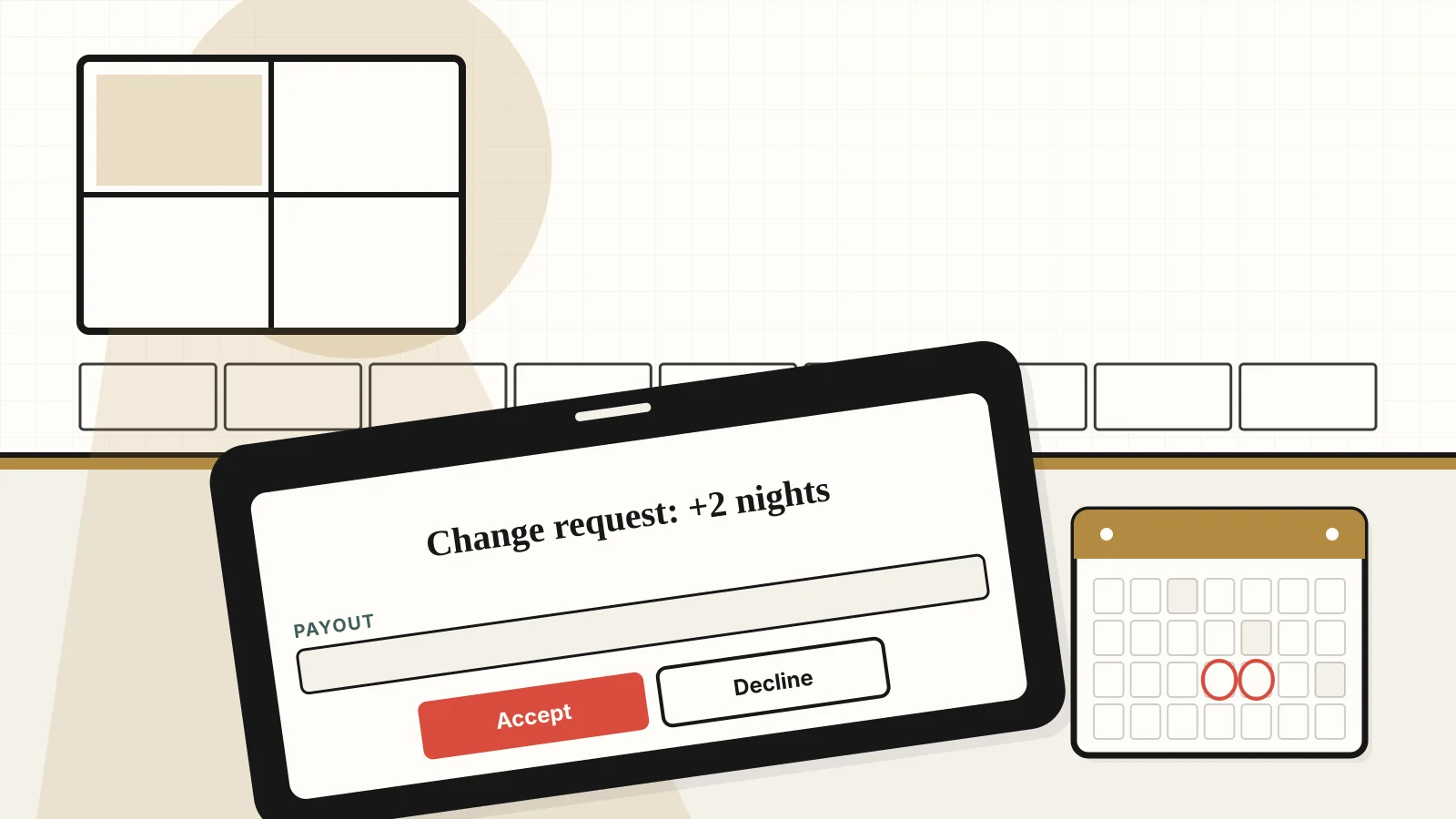
A guest wants two more nights, or new dates. Saying yes takes one tap, and that's the problem. Here's what each button does, and how to answer so the dates and the money come out right.
What happens when you accept a trip change request?
The change goes through as written. Airbnb's Help Center says that if you accept, the changes will be applied automatically, and your guest will be charged or refunded if necessary (Airbnb Help 1504).
So check three things before you tap: the new dates are open and don't leave a gap you can't fill, the amount matches what you'd charge, and your cleaner can still make the turnover. If any is off, don't accept.
What if an extension request shows $0 or the wrong price?
If an extension request shows $0, or an amount that looks too low, for the added nights, check it before you respond. We found no Airbnb page that explains why a price might look wrong, so we won't guess at a cause.
What Airbnb does say is that you can always decline a trip change request with no consequences (Help 1504). So decline it, message the guest so they know you still want them, and send your own trip change request with the dates and price that work for you.
Our advice, not an Airbnb rule: if the amount looks wrong, keep a screenshot and contact Airbnb support before you respond.
Can you just change the reservation yourself?
Airbnb advises against it. Help 1504 says that if you make the changes to your guest's reservation, you might jeopardize your good standing as a host. Instead, let the guest make the change. Airbnb notes guests can also modify their trip through the link in their confirmation email. If you want different terms, send them a trip change request to accept.
How fast do you need to answer?
There is no deadline. Airbnb says there isn't a time limit, but adds that responding to trip change requests quickly can help you avoid canceled reservations (Help 1504). Guests can send a request once the booking is confirmed and any time before checkout, even during the stay.
Here's the move this week: write down your rate for one extra night and for a few, so a mid-stay request is a quick reply, not a negotiation.
When is a special offer the better tool?
A special offer works only before a booking exists. Airbnb's help article on special offers says that if a guest has already booked or requested your place, you can't send one, but you can still give a discount by changing the reservation details (Airbnb Help 35). For a guest who is already staying, the trip change request is your tool.
For a guest still asking about dates, open their message and choose Special offer. Enter one price that covers all nights plus extras like cleaning fees, but not service fees or security deposits. The guest has 24 hours to accept, and the reservation confirms automatically if they do. Over 28 days, you can offer a total price or a monthly rate.
Quoting a month? Airbnb says your long-term cancellation policy applies to reservations of 28 or more consecutive nights (Airbnb Help 475), so check it first.
If the guest is really fishing for a lower rate, our guide to spotting cheap-rate red flags helps you tell a fair counteroffer from a guest who will push on every term.
What about filling the nights an extension doesn't cover?
A moved or shortened stay can leave open nights close in. Airbnb's Resource Center says its last-minute discount applies to reservations confirmed 1 to 28 days before check-in, that you can raise the percentage as the date gets closer, and that it isn't available with Smart Pricing on. It also suggests allowing shorter stays (Airbnb Resource Center).
Before you cut, read what to check before you lower your Airbnb price again, because one changed trip is no reason to reprice the month. For a bigger hole, our guide to refilling your calendar after cancellations shows how to recover without rewriting your rules.
What should you do this week?
- Set your extension rates.
- Check dates, amount and turnover on every request.
- Decline what looks wrong and send your own request.
- Leave reservation edits to the guest.
- Check your long-term cancellation policy before quoting a month.
Sources
Fetched Nov 2, 2026 (ET).
- Airbnb Help Center, Accept or decline a trip change request
- Airbnb Help Center, Special offers
- Airbnb Help Center, Cancellation policies for your home
- Airbnb Resource Center, 5 ways to get last-minute bookings
Related reading
- How to Spot Cheap-Rate Red Flags Before You Reply
- What to Check Before You Lower Your Airbnb Price Again
- How to Refill Your Calendar After Cancellations
FAQ
A guest's extension request shows $0 for the extra nights. Should I accept it?
Not until the numbers look right. Once you accept a trip change, Airbnb applies it automatically and charges or refunds the guest as needed, so check the amount first. You can decline a trip change request with no consequences. Then message the guest, or send your own trip change request with the dates and price that work for you.
Can I change a guest's reservation for them?
Airbnb advises against it. Its help page says making changes to a guest's reservation yourself might put your good standing as a host at risk. Let the guest send the change themselves, which they can also do from their confirmation email, or send them a trip change request to accept.
How long do I have to answer a trip change request?
There is no time limit. Airbnb says answering quickly can help you avoid canceled reservations. Guests can send a request once the booking is confirmed and any time before checkout, even during the stay.
Can I send a special offer to a guest who already booked?
No. Airbnb says you can't send a special offer once a guest has booked or requested your place, but you can still lower the price by changing the reservation details. Special offers are for guests who have not booked yet, and they have 24 hours to accept.
Published November 2, 2026 / 5 min
More in Guests.
Related Reading

How to Spot Cheap-Rate Red Flags Before You Reply Without Saying Yes to Every Low Offer
"Hi! Is $95 negotiable? Big group, off season, we're easy to please :)" The message looks harmless. Experienced hosts read it twice before answering.
March 15, 2026
7 min
How to Refill Your Calendar After Cancellations Without Changing Your Rules in a Panic
Two cancellations for every new booking isn't in your head. Here's what's driving it, what's out of your hands, and a practical plan to protect and refill your calendar.
October 7, 2026
8 min

Should I Lower My Airbnb Price Again?
Price cuts feel like action. Sometimes they're just panic wearing a math costume.
June 28, 2026
8 min

Are Guests Booking Your Airbnb Non-Refundable Rate by Default? What Changed and What to Check
Hosts say Airbnb guests now land on the non-refundable rate by default. What Airbnb's Help Center says, and how to check your own listing.
October 30, 2026
7 min

How to Handle a Refund Ask After a Stay Without Giving Money Back Before You Check the Facts
They slept three nights in the bed, used the towels, ran the dishwasher twice, and checked out on time. Then the message asking for money back arrived.
March 27, 2026
6 min