How to Photograph a Basement Airbnb (Even With Few or No Windows)
Turn on every light, match the bulbs, shoot from the corners at chest height on a steady surface, and show the stairs, the entrance and every bedroom window, or the lack of one. Then say lower level in plain words.
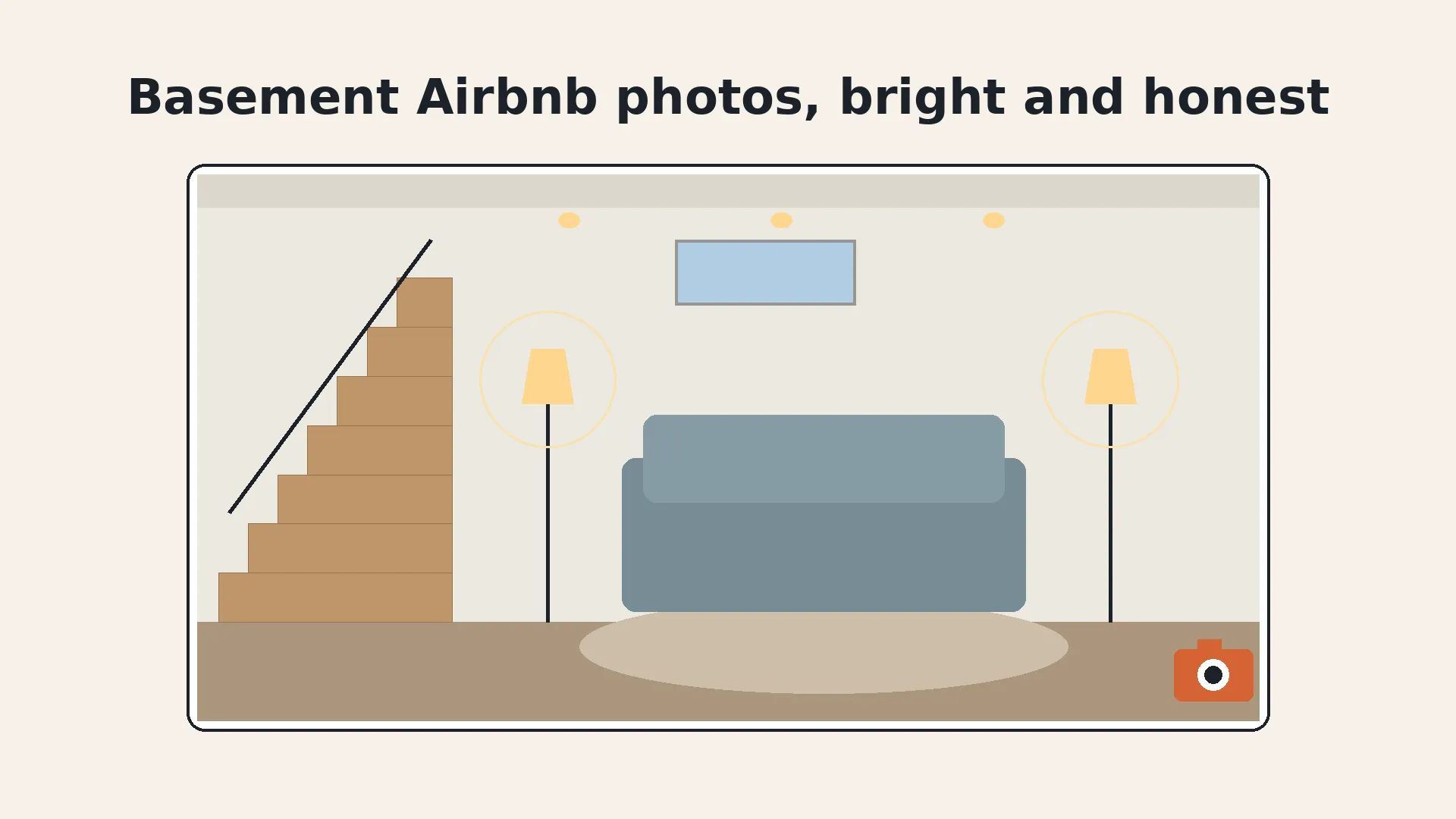
Basement units have one photo problem and one trust problem. The photo problem is light: small windows, or none, and a mix of ceiling fixtures that turn white walls yellow. The trust problem is surprise: a guest who didn't realize the place was below ground, or that the bedroom has no window, tends to say so in the review.
Both are fixable with the same approach. Light the space well, shoot it level and wide, and show the parts guests wonder about. Here's how, with a phone or a camera.
How do you photograph a basement Airbnb?
Shoot it bright, level and complete. Turn on every light, keep the camera at chest height in a corner, take one wide photo of every room, and include the stairs, the entrance and each bedroom window. Then caption it as lower level so the photos and the words agree.
Airbnb's photo tips give the order that matters most here: turn off the flash, open the blinds and curtains, and if the room is still too dark, turn on the lights. In most basements, you'll go straight to step three.
What should I do before photographing a basement?
Prep the light and the space before you pick up the camera. Basements show clutter and mismatched bulbs more than any other room, because there's no daylight to hide them.
- Replace dead or dim bulbs. One dark fixture makes a whole corner look damp.
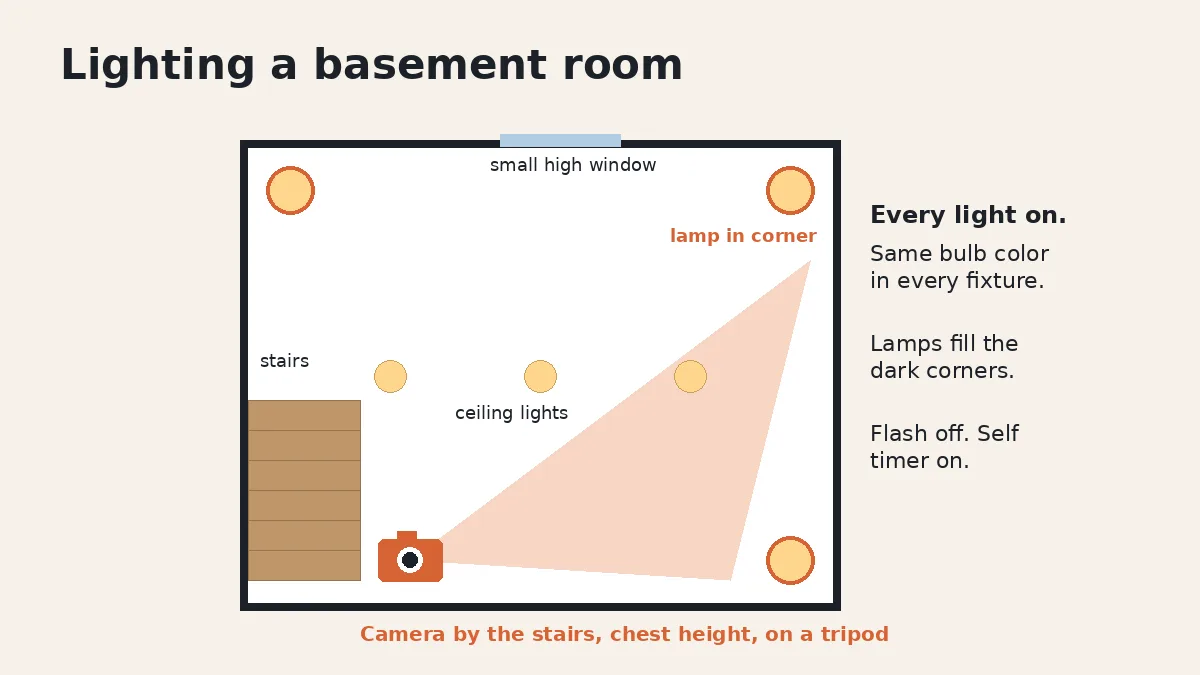
- Match the bulbs. Use the same color of bulb in every fixture and lamp in the room, so one side doesn't look orange and the other blue.
- Add a lamp to every dark corner. A floor lamp behind the sofa or beside the bed fills the spots the ceiling lights miss.
- Clear storage out of the frame. Bins, the water heater closet door and the laundry pile all read as unfinished.
- Open every window covering, even on a small high window. Any daylight helps, and it shows guests the window exists.
- Fix what the camera will show. Water stains, peeling paint and musty corners need a repair, not an edit. Airbnb's ground rules say listings should be free of health hazards such as mold.
How do I light a basement with no windows?
Use every light source you have, keep them all the same color, and hold the camera still. A dark room isn't the real problem. Blur and color casts are.
In low light, a phone slows its shutter or raises its noise to get a bright enough image. Put it on a small tripod, or brace it on a shelf or the back of a chair, and use the self-timer so your tap doesn't shake it. If your camera can bracket exposures, take a darker and a brighter frame too, so you can keep detail in the lamp shades and the shadows.
Afterward, check the white balance. Warm bulbs often turn white walls and bedding yellow in photos even when they look fine in person. Our guide to yellow Airbnb photos shows how to correct it on a phone or in an editor.
Where should I stand to photograph a basement room?
In a corner, at about chest height, with the camera level. Aim diagonally toward the far corner so the photo shows two walls and the floor, which tells guests how big the room really is.
Don't tilt the camera up to make a low ceiling look taller, and don't drop to the floor to exaggerate it either. Airbnb's photo tips say to shoot straight ahead without tilting the lens, to give guests a realistic view. On a phone, start at 1x and only switch to the ultra wide lens if the room truly doesn't fit, then check the edges for stretched furniture. Our phone photo guide covers lens choice in more detail.
Should I show the stairs and the entrance?
Yes. They answer the two questions every basement guest has: how do I get in, and how do I get down there with my bags.
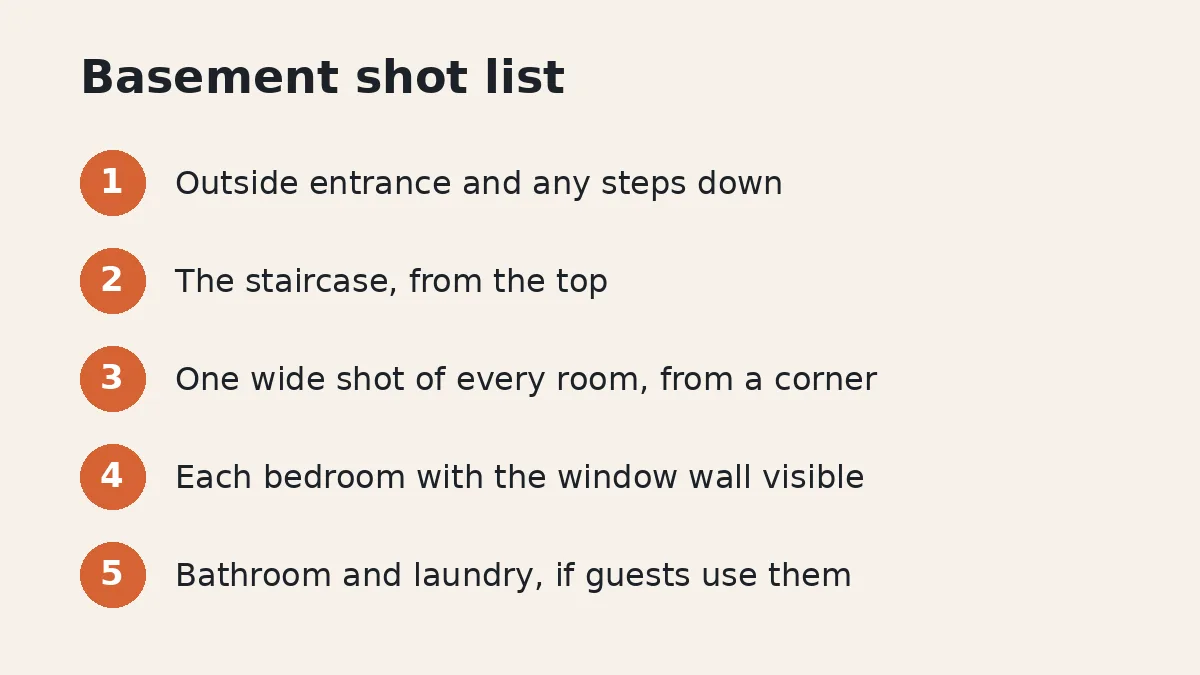
Take one photo of the outside entrance, including any steps down to it, and one of the inside staircase from the top. If the stairs are steep or narrow, it's better to show it than to hear about it in a review. Airbnb's safety guidelines ask hosts to complete the safety section of the listing and to disclose safety hazards inherent to the listing in the description, and the safety section of your listing is a natural place to note steep or narrow stairs.
How do I photograph a basement bedroom honestly?
Show the whole room, including the window wall. If the bedroom has a window, frame at least one photo so the window is clearly visible. If it doesn't, show the whole room anyway and say so in the caption.
A single photo pointed at the bed is the classic mistake. Guests can't tell what's on the walls they can't see, and they feel misled when they find out. Shoot from the doorway so the photo takes in as much of the room as possible.
Before you call a below-ground room a bedroom at all, check your local code. Many US codes are based on the International Residential Code. Washington State's adopted section R310, for example, says basements and every sleeping room need at least one operable emergency escape and rescue opening, and that each sleeping room in a basement needs its own, with limited exceptions such as certain homes with an automatic sprinkler system that also meet other exit conditions. Rules vary by city and country, so ask your building department. Airbnb's safety guidelines also require hosts to follow applicable fire code requirements.
What should basement photo captions say?
Say what the photo can't show. Airbnb's photo tips suggest captions that explain where each room fits into the floor plan, and a basement is exactly where guests need that.
- Where it is: "Lower level with its own entrance from the side yard."
- How you get there: "12 steps down from the main entrance, with a handrail." Use your real count.
- What the light is like: "Two small windows near the ceiling. Lamps in every room."
- What's above: Airbnb's ground rules say the listing should disclose surroundings that may affect the expected level of noise, so mention it if people live upstairs.
These are example captions, not a template. Write yours from what's true about your place.
Can I edit basement photos to look brighter?
Yes, within limits. Brightening, adjusting contrast and highlights, correcting color and straightening lines are the edits Airbnb's own photo tips describe. Adding windows, daylight or a view that isn't there is not.
Airbnb's ground rules say it will ask hosts to remove content if AI or other digital technology has been used to edit flaws, hide damage, add amenities or attributes that aren't part of a listing, or otherwise misrepresent it. For a basement, the honest goal is simple: the photo should look like the room does with every light on.
If you're fixing a whole gallery of dim lower-level rooms, a photo enhancer can even out brightness and color from room to room while leaving the space exactly as it is. Whatever you use, compare the result with the real room before you upload.
If your unit has a bathroom down there too, our bathroom photo guide covers mirrors and tight spaces. More guides live on our photos hub.
FAQ
How do you photograph a basement Airbnb with no windows?
Turn on every light in the room, use bulbs that all match in color, and add a lamp to any dark corner. Keep the flash off, put the phone or camera on a tripod or steady surface, and shoot from a corner at chest height. Correct the white balance afterward so the walls look the color they really are.
Should I say my Airbnb is in a basement?
Yes. Say lower level, garden level or basement in the description and in the photo captions, and show the stairs and the entrance. Airbnb requires the listing page to accurately describe the place and its setup, and a guest who only discovers the basement at check-in may rate accuracy low.
Can a basement room with no window be listed as a bedroom?
It depends on your local code, so check with your building department before you call it a bedroom. Many US codes are based on the International Residential Code. Its section R310, as adopted in states such as Washington, requires an emergency escape and rescue opening in each basement sleeping room, with limited exceptions such as certain homes with an automatic sprinkler system that also meet other exit conditions. Rules vary, so this isn't legal advice. Airbnb also requires hosts to follow applicable fire code requirements.
Should I use flash to photograph a dark basement?
Not the phone's built-in flash. Airbnb's photo tips say to turn off the flash and use natural light first, then turn on the lights if the room is still dark. In a basement that usually means every overhead light and lamp on, and a steady phone so it can take a longer exposure without blur.
Can I brighten basement photos when I edit them?
Yes. Adjusting brightness, contrast and highlights is normal editing, and Airbnb's own tips suggest it. What Airbnb doesn't allow is using AI or other digital tools to hide flaws or damage, add features that aren't there, or otherwise misrepresent the listing, so don't add fake windows or daylight.
Published October 26, 2026 / 8 min
More in Photos.
Related Reading
How to Photograph a Bathroom for Airbnb (Small, Dated or Shared)
Bathroom photos answer the questions guests won't ask out loud. Here's where to stand, how to keep yourself out of the mirror, what to show in a small or dated bathroom, and how to photograph accessibility features the way Airbnb asks.
October 25, 2026
8 min
Why Do My Airbnb Photos Look Yellow? How to Fix White Balance
Yellow listing photos usually come from warm bulbs mixed with daylight. Here's why it happens, how to fix it on a phone or in Lightroom, and how to stop it at the shoot.
October 23, 2026
10 min
How to Take Airbnb Photos With Your Phone (Skip the 0.5x)
One tap on 0.5x fits the whole room in the frame and makes it look bigger than it is. Here's how to shoot honest listing photos with the phone you already have.
October 20, 2026
8 min
How to Make Your Photos Match Your Real Place in One Weekend Without Remodeling
It feels good when guests say it looks better in person. It may also mean the listing undersold you.
May 30, 2026
12 min
How to Pick the First 5 Photos Guests See Without Paying for a Full Reshoot
You picked your cover photo on purpose. Booking sites may be showing guests a different one. Here's how to check, how to pick the right lead photo, and how to order the five photos guests actually see.
October 9, 2026
18 min
How to Photograph an Airbnb Pool, Hot Tub and Outdoor Space
A pool or hot tub is often the reason a guest clicks. Here's when to shoot it, how to prep the water and yard, which outdoor photos to include, and how to show fences, gates, heating and hours honestly.
October 29, 2026
9 min