Did Vrbo Change Your Cover Photo? How to Opt Out of AI Photo Ordering
Vrbo's help center says an AI-powered tool chooses the hero image and photo order from the photos you've uploaded. Check your listing logged out, opt out through Vrbo's survey if you want control back, and prune weak photos either way.
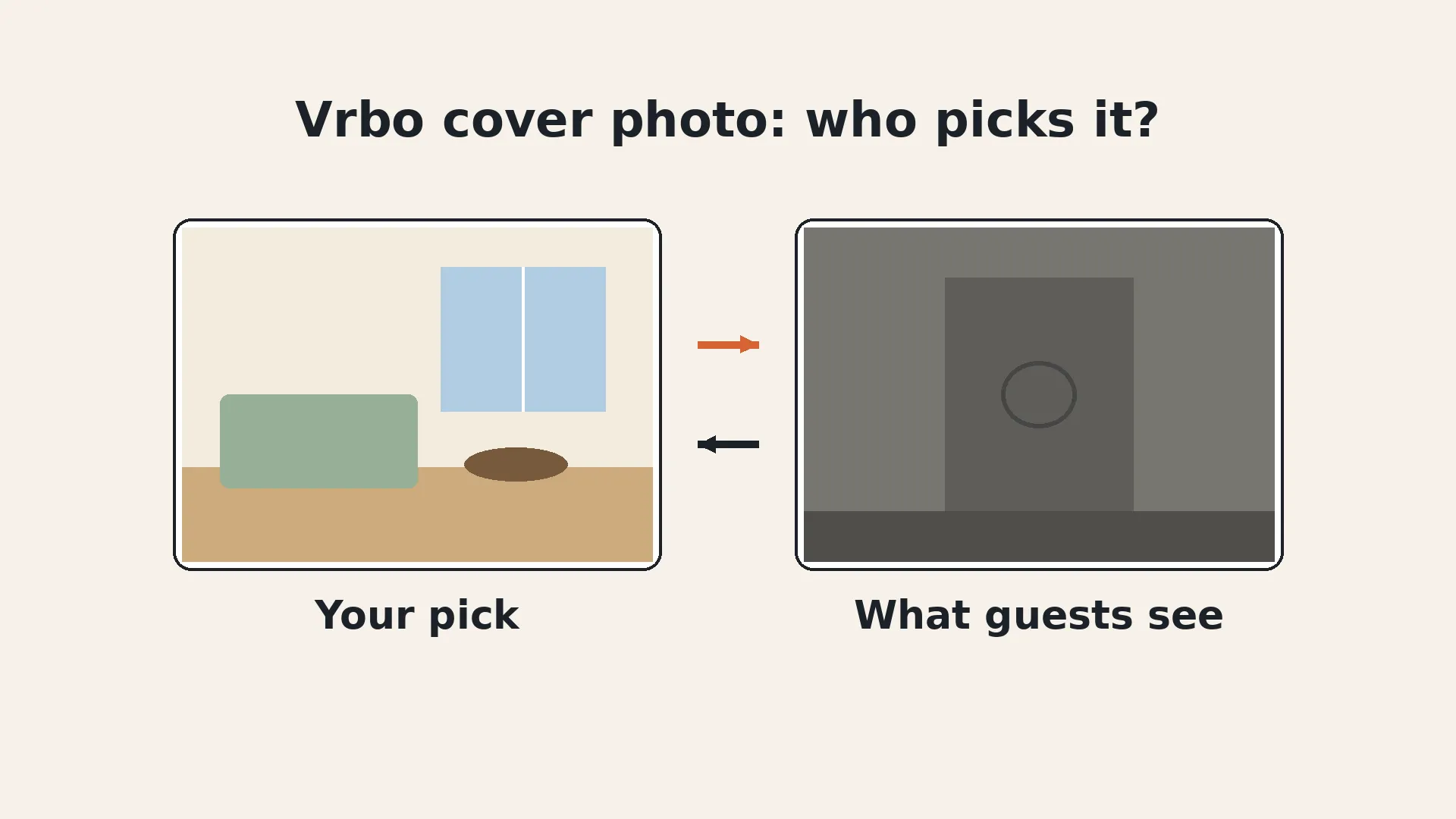
You open your Vrbo dashboard and your cover photo is exactly where you left it. Then you search for your own place like a guest would, and one of the first photos is the laundry closet.
You're not imagining it. Vrbo now uses an automated tool that can choose which photo leads your listing and how the rest are ordered. Here's what Vrbo says it does, what hosts are seeing, and how to take control back.
Does Vrbo change your cover photo?
Yes, it can. Vrbo's help article Add photos to your listing says Vrbo "uses an AI-powered tool to choose the best hero image and image order for your listing" and that the tool "will rearrange the photos you have already uploaded."
Hosts on BiggerPockets reported in July 2026 that Vrbo had emailed them about testing this, with a link to opt out. The part that matters is on Vrbo's own help page: the tool works with the photos you have already uploaded.
So the tool doesn't invent anything. It picks from your gallery. That's the key to fixing it.
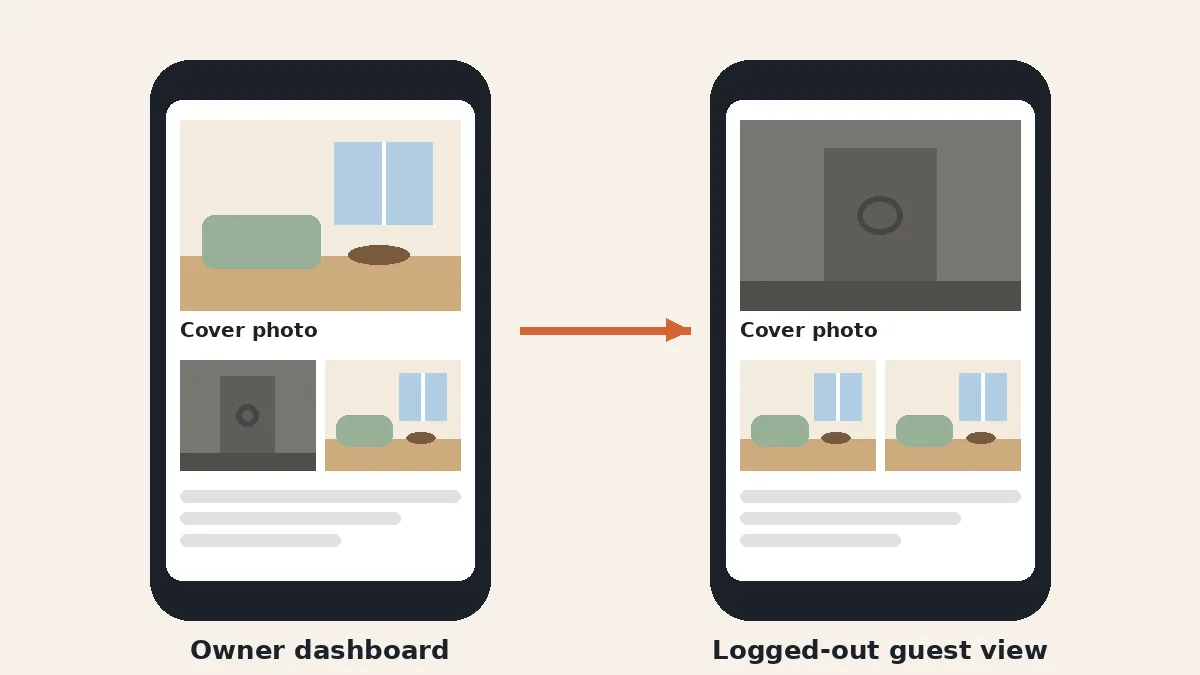
Why does my Vrbo listing look different to guests?
Because the change shows up on the guest side, not in your dashboard. Several hosts in the BiggerPockets thread said their owner view still showed the cover they picked, while a logged-out search showed something else. One host found a deck and outdoor shower leading one listing. Another found a stairwell and a community sign in her first five photos.
It can also differ by device. One host reported the swap only on desktop, not in the app. A property manager in the same thread gave the simplest advice: check the listing in guest mode, not just the owner dashboard.
How do I check what guests actually see?
Search for your listing logged out, in a private browser window, with real dates and the right guest count. Then repeat on your phone in the app while signed out.
- Look at the search result card. That's the hero image guests see before they click.
- Open the listing and note the first five photos. Write down the order so you can compare later.
- Check every property. One manager on BiggerPockets said all 23 of her listings were showing essentially the same first five photos.
- Take screenshots with the date. If you need to escalate, you'll want proof.
How do I opt out of Vrbo's AI photo ordering?
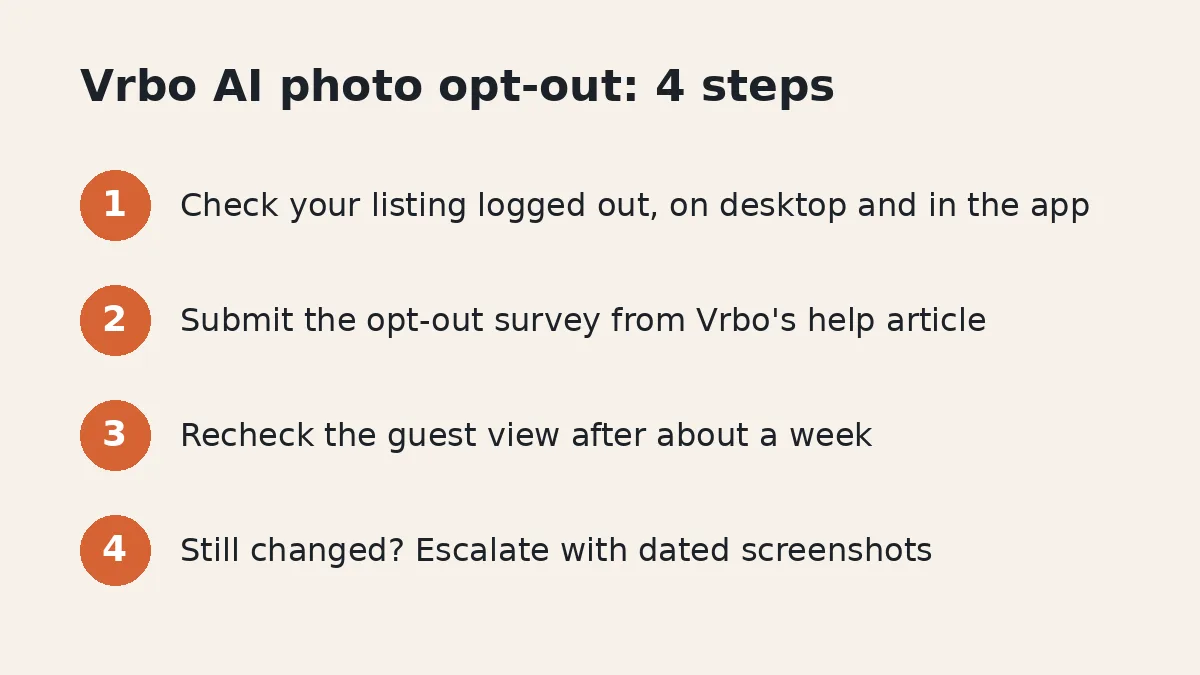
Fill out the survey linked in Vrbo's own help article. Open Add photos to your listing, scroll to the Image feature section, and follow the line that says you can opt out of AI photo optimization by filling out a survey.
- Open the help article and find the Image feature section at the bottom.
- Click the survey link and submit it for your account.
- If you manage more than one property, confirm with Vrbo that every listing is included.
- Save the confirmation, or the date you submitted, in case you need to follow up.
- Check your listings logged out again after about a week.
Vrbo's help page doesn't say how long it takes. Hosts on BiggerPockets said they were told it would be done within seven days. One host reported her original order was back five days after she opted out.
What if the opt-out doesn't work?
Escalate, and bring screenshots. A manager with 23 listings wrote on BiggerPockets that she opted out on August 17, was told it would take at most seven days, and still saw Vrbo overriding her covers after that. It took multiple contacts and a supervisor before Vrbo confirmed the opt-out and said control would be returned.
If you're past a week, contact Vrbo support, give the date you opted out, list every affected property, and ask for the request to be escalated. Keep checking in guest view until the order matches yours.
Should I opt out at all?
It depends on your gallery. Vrbo's help article says the tool chooses "the best hero image and image order" to optimize performance, and some hosts were fine with its picks. One host on BiggerPockets said the tool chose her kitchen, which she liked. Others got photos they'd never lead with.
If you've already sequenced your photos on purpose, opting out keeps that decision yours. If you'd rather test it, stay in but check your guest view every week or two. Either way, the next step matters more than the setting.
How do I stop the tool from picking a bad photo?
Remove the photos you'd never want as your cover. The tool only picks from what you've uploaded, so a dark hallway or a half-finished deck can't lead your listing if it isn't in the gallery.
- Cut duplicates and filler. Vrbo's photo guidelines say duplicate photos are removed anyway.
- Keep your strongest exterior and main living space. Those are the photos you'd want leading the listing anyway.
- Don't drop below 6 photos. Vrbo's help article says fewer than 6 published photos for more than 30 days can lead to an indefinite suspension penalty.
- Fix weak photos instead of keeping them. If a room you need to show looks dim or gray, brighten and color-correct it so every image in the set holds up as a possible cover.
That last point is the quiet win. When every photo in your gallery is bright and accurate, it matters a lot less which one an algorithm picks. Simple fixes like correcting a yellow white balance or using photo enhancer software to even out light and color keep the room exactly as it is while making the whole set stronger.
What are Vrbo's photo rules?
Vrbo wants sharp, well-lit, horizontal photos and rejects anything that isn't a clean photo of the property. According to the Vrbo photo guidelines:
- Size: at least 1024 x 683 pixels, ideally 3840 x 2160 or higher.
- Format: JPEG, PNG, WebP, AVIF or SVG. Horizontal displays best.
- Might be rejected: black and white or sepia, blurry or pixelated shots, close-ups, collages, duplicates or near duplicates, documents or posters, text overlays like URLs, and watermarks or borders.
- Timing: changes can take up to 10 minutes to show on the guest-facing site, unless you're connected through software.
Per the same guidelines, rejected photos show up under Edit Property, then Photos, in your dashboard. Photos must also follow Vrbo's Partner Provided Content Policy, so keep edits honest. Brighten a room, but don't change what's in it.
Does this affect Airbnb too?
This tool is Vrbo's. Airbnb has its own rules for the cover and first photos, covered in our guide to Airbnb cover photo order. If you list on both, check each one separately, and see adding Vrbo without double bookings for the calendar side. More photo guides live on our photos hub.
FAQ
Does Vrbo change your cover photo?
It can. Vrbo's help article on adding photos says it uses an AI-powered tool to choose the hero image and image order, and that the tool rearranges photos you have already uploaded.
How do I opt out of Vrbo AI photo optimization?
Open Vrbo's help article "Add photos to your listing" and scroll to the Image feature section. It links a survey you fill out to opt out of AI photo optimization. If you manage several properties, make sure every one of them is covered.
How long does the Vrbo opt-out take?
Vrbo's help page doesn't give a time. Hosts on BiggerPockets reported being told it would be done within seven days. One host saw her original order return five days after opting out, while a manager with 23 listings said overrides continued past seven days until a supervisor stepped in.
Why does my Vrbo dashboard show a different cover than guests see?
Hosts report that the owner dashboard keeps showing the cover they chose while the public listing shows the photo the tool picked. Always check your listing in a private window while logged out, on both desktop and the app.
How many photos does Vrbo require?
Vrbo says you should always have at least 6 photos published. Having fewer than 6 for more than 30 days can result in an indefinite suspension penalty, so don't prune below that.
Published October 24, 2026 / 7 min
More in Photos.
Related Reading
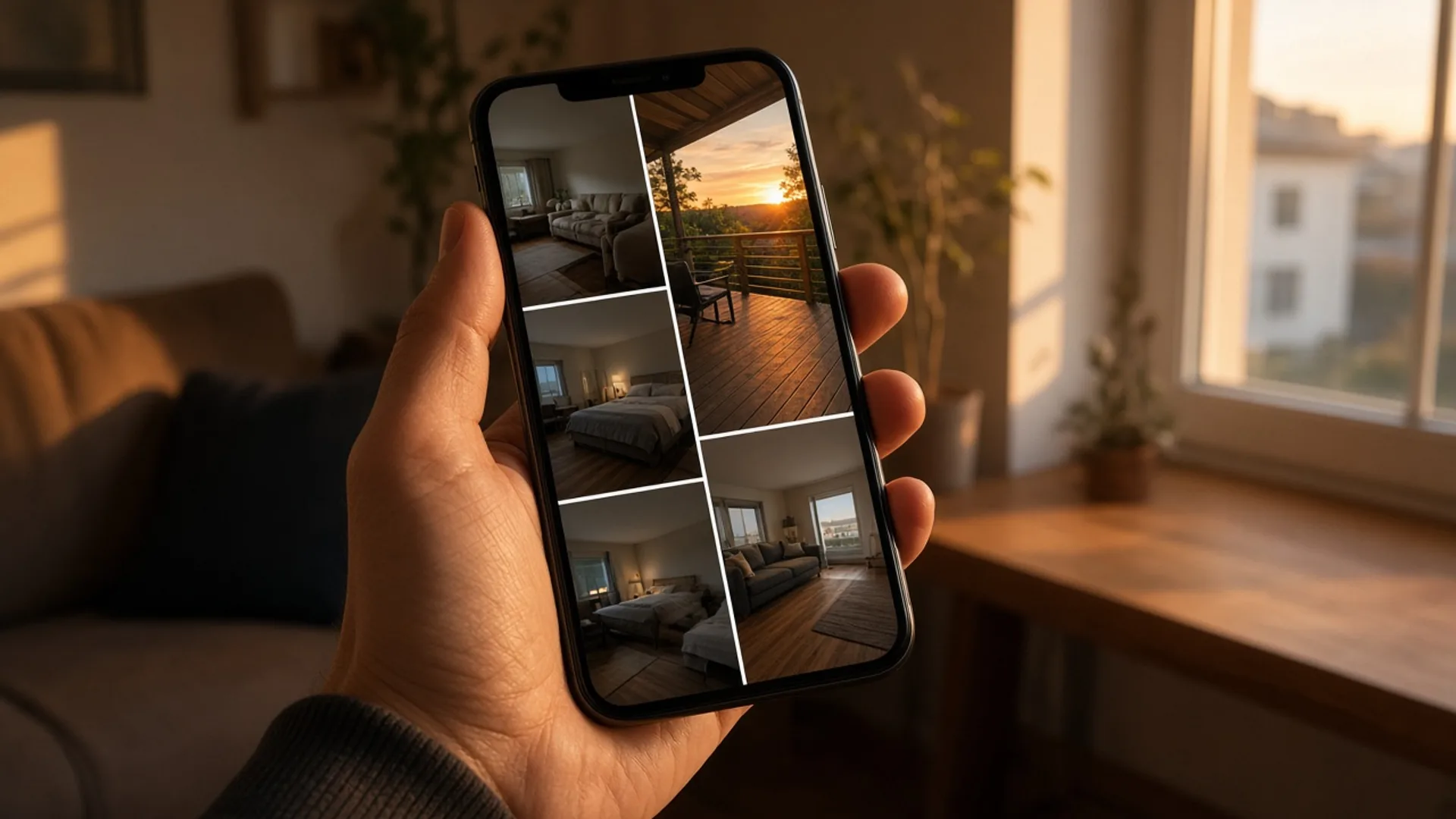
How to Pick the First 5 Photos Guests See Without Paying for a Full Reshoot
You picked your cover photo on purpose. Booking sites may be showing guests a different one. Here's how to check, how to pick the right lead photo, and how to order the five photos guests actually see.
October 9, 2026
18 min
Why Do My Airbnb Photos Look Yellow? How to Fix White Balance
Yellow listing photos usually come from warm bulbs mixed with daylight. Here's why it happens, how to fix it on a phone or in Lightroom, and how to stop it at the shoot.
October 23, 2026
7 min
Does Changing Your Airbnb Photos Hurt Your Ranking?
Hosts put off new photos because they're afraid of losing their spot in search. Airbnb doesn't describe any reset. Here's what it does say, and how to swap photos without guessing.
October 22, 2026
7 min
How to Add Vrbo or Booking.com to Your Airbnb in One Afternoon Without Double Bookings
A host asked this week whether one property can sit on more than one platform. Here is the afternoon order: one extra channel, calendars synced both ways, a hand check, the guest's total, and the same photos.
October 23, 2026
9 min
How to Take Airbnb Photos With Your Phone (Skip the 0.5x)
One tap on 0.5x fits the whole room in the frame and makes it look bigger than it is. Here's how to shoot honest listing photos with the phone you already have.
October 20, 2026
8 min